Sysadmin and FOSS enthusiast. Self-hosting on Proxmox with a focus on privacy and digital sovereignty. Documenting my experiences with Linux, home labs, and the ongoing fight to keep Big Tech out of our hardware.

@unknownuniverse@unkn.uk

  • 4 Posts
  • 23 Comments
Joined 2 months ago
cake
Cake day: March 31st, 2026

help-circle
  • The home server is an old, low-powered mini PC running Debian. It acts as the bridge between the WireGuard tunnel and my local LAN.

    I’ve just finished migrating one of my AdGuard Home instances onto it today. Its role is now twofold:

    Routing: It has ip_forward enabled and a bit of NAT (iptables/nftables) so that traffic arriving from the VPN can actually “hop” onto the local network to reach my other VMs and containers.

    DNS: It provides ad-blocking for the tunnel. VPN clients point to this node’s internal WireGuard IP for DNS queries.

    Technically, it’s just another WireGuard peer, but with AllowedIPs configured to advertise my 192.168.x.x subnet back to the hub (VPS2). This is what allows  VPS1 and my mobile devices to resolve and reach home services without a single open port on my router.


  • You’re right, and for a lot of people, one VPS is the sensible choice. I actually addressed this in the post:

    "VPS1 is my web-facing server. It handles the public side of things. VPS2 is the VPN hub. At first glance, that probably looks unnecessary. Strictly speaking, it is unnecessary. I could have crammed WireGuard onto VPS1 and called it done. But splitting the roles makes the whole thing cleaner.

    One machine serves public traffic. The other handles VPN duties. That means fewer networking compromises, fewer chances of Docker or firewall rules becoming annoying, and a clearer separation between the public-facing stack and the private tunnel. It also means I can change one side without poking the other with a stick and hoping nothing catches fire."
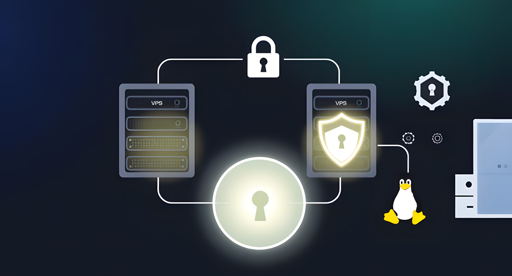



  • Exactly that, VPS2 handles the WireGuard port and has no domain pointing to it, so it’s basically hiding in plain sight. VPS1 holds the domain and handles the web traffic.

    I keep SSH open on both, but locked down (key-based auth + restricted to my IPs).

    Your idea of using the provider firewall (Ionos in my case) as a “mechanical” lock is a good one, block it at the edge and only open it when needed. I’ve thought about doing that, but I’m generally happy relying on a hardened SSH config and the provider’s KVM if everything goes sideways.


  • You’re right that the average person doesn’t care about fingerprinting, but that’s exactly the problem. To me, browser fingerprinting isn’t just a technical quirk, it’s a violation of privacy that effectively erases your ability to be anonymous, regardless of whether you have a VPN or not.

    If we let OS-level ID checks become the standard because people don’t care, we’re essentially legitimising that tracking. My red line isn’t just a government log of my identity, it’s the fact that the tech is being built to make that log possible in the first place. Once the infrastructure is there, the incidental proof of identity quickly becomes the primary feature.


  • It’s less about a “scan” and more about the “handshake.” Look at things like Windows 11 requiring a TPM and Secure Boot, or the Microsoft Pluton chip being baked into newer CPUs.

    They don’t need to inspect your code. They just need a cryptographic “attestation” that says your hardware and kernel are in a “known good” state. If your DIY kernel doesn’t have the right digital signature from the manufacturer, the service whether it’s a bank or a Netflix stream, simply says “computer says no” and denies the connection.

    Sure, we’ll find workarounds, but for 99% of people, that “invisible border” is a brick wall.


  • Actually, even without “tracking” individuals, the metadata is still there. I can see from my own anonymous, privacy-respecting server stats exactly how many hits are coming from Android versus GNU/Linux. There is no personal data involved, but the OS “fingerprint” is clear.

    If a small, self-hosted blog can see that high-level data, then a bank or a government gateway definitely can. The comparison to anti-piracy doesn’t quite work because you don’t have to “log in” to a pirated movie, but you do have to authenticate for the services that actually matter. That’s where the compliance gate gets locked.


  • I think that’s a dangerous assumption to make. If the OS is tied to your physical identity, the ‘VPN’ layer becomes much less of a shield. Once the kernel level is ‘compliant’ with an ID check, the metadata being leaked or even the hardware ID itself makes anonymity a lot harder to maintain.

    You’re right about the social media risk, but the OS is the foundation. If you give up the keys to the house, it doesn’t matter how many extra locks you put on the individual room doors. That ‘disappointing risk’ is exactly how the ‘invisible borders’ start getting built.


  • My real worry isn’t that Debian will cave, but that the services we use every day—banks, government sites, DRM-heavy media—will start checking for a “compliant” kernel. If those “invisible borders” get built, you might have a truly free OS that’s effectively useless for 90% of the modern web.

    It’s not about the distro failing; it’s about the “compliant” versions becoming the only key to the door. We have the choice now, but the gap between “free” and “functional” is definitely getting wider.


  • The systemd age-storage drama was a massive red flag. It showed how easily a “safety” mandate can be used as a wedge into the lower levels of the stack.

    My worry is exactly what you said: politicians creating “compliance” requirements that are fundamentally toxic to the GPL or the way community distros operate. It’s not about making Linux better; it’s about making it legally unviable for anyone but a massive corporation to maintain. Digital enshittification via regulation.